The short answer
Where the 1xBet app is actually published
Before any instructions, the data. We checked the actual App Store, storefront by storefront, using Apple's public API. This is what exists:
| App | Developer | Language | Storefronts where it's published |
|---|---|---|---|
| 1xBet: Apuestas Deportivas | 1XCorp N.V. | Spanish | Mexico, Chile and Colombia |
| 1xBet - Sports Betting Online | Lemureda | English | Argentina and Vietnam |
Verified on August 18, 2026 against the 54 main App Store storefronts, using Apple's public API. Availability by country changes without notice: if you're going to switch your account's storefront, confirm first.
1xBet is one of the biggest bookmakers in the world by volume, but it operates on an international license, so its app comes and goes from storefronts depending on the country. What's in a storefront today may not be there tomorrow. On Android it's not on Google Play and the bookmaker distributes the APK from its own site.
1xBet on iPhone (iOS)
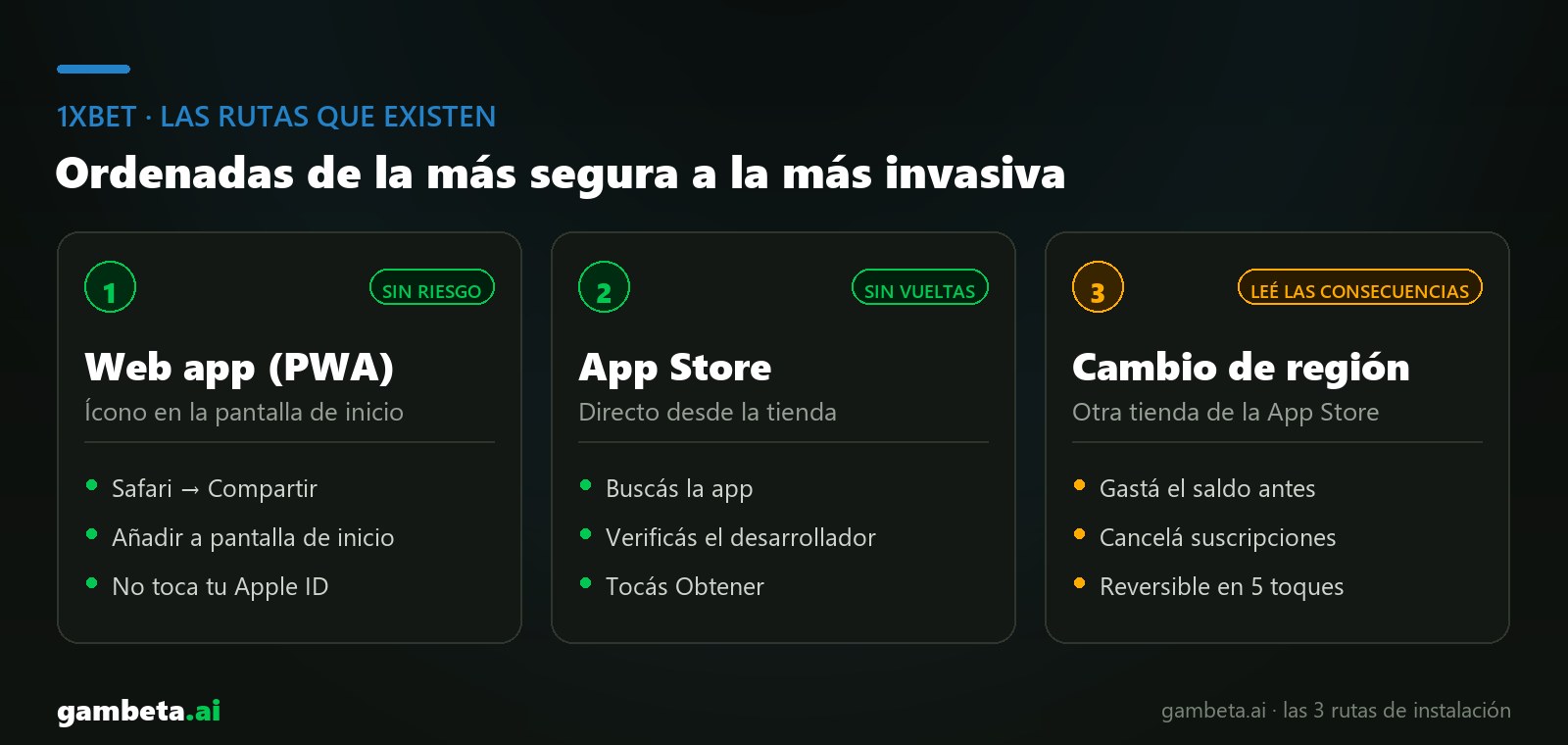
There are 3 routes and they're not equivalent. They're ordered from safest to most invasive.
Web app on your home screen (PWA)
no riskIt doesn't touch your Apple ID or depend on which country your account is in. It's the route to try first.
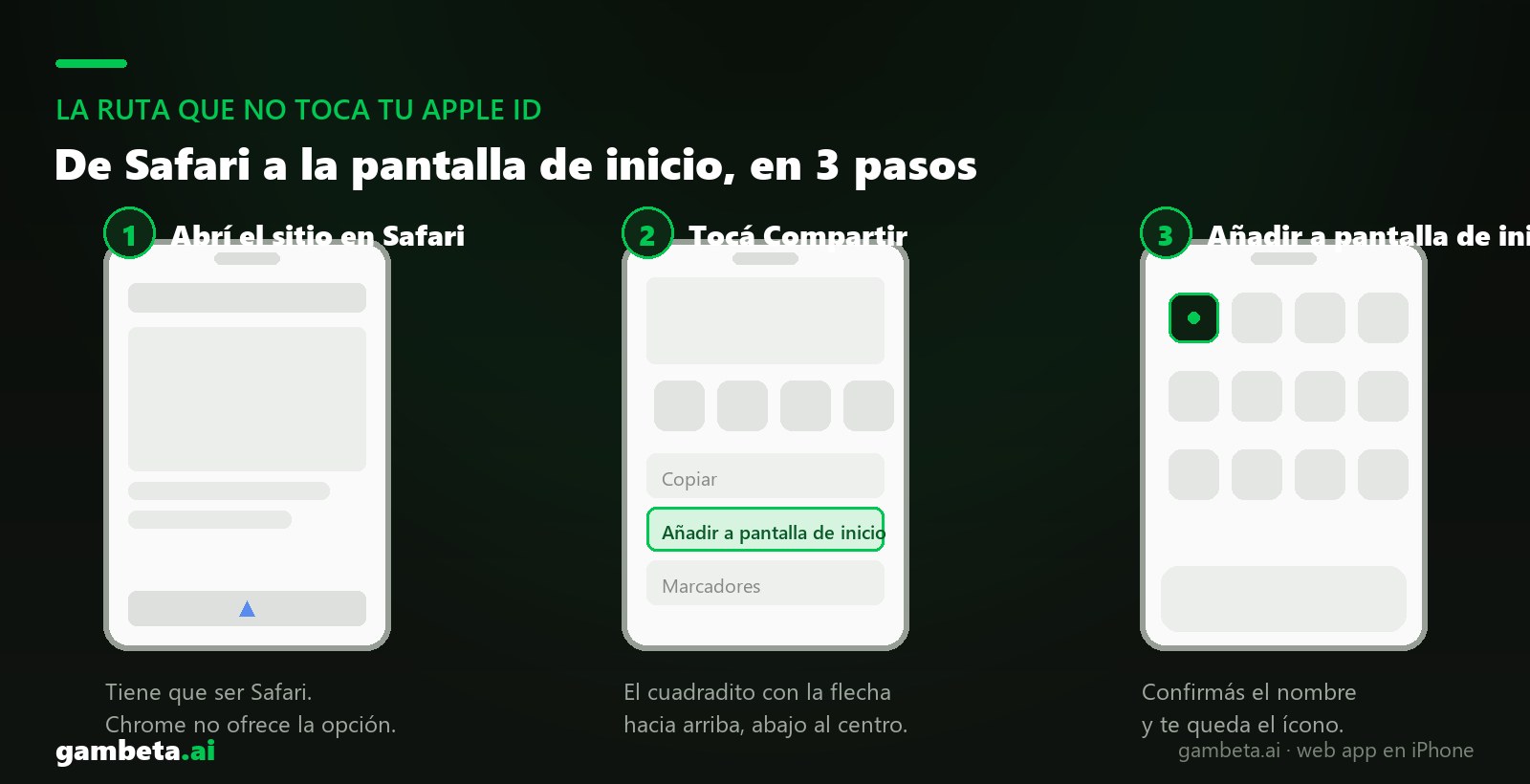
- Open Safari (it has to be Safari: on iPhone, Chrome doesn't offer this option) and go to the 1xBet mobile site.
- Log in or register, and wait for the page to fully load.
- Tap the Share button: the square with the up arrow, bottom center.
- Scroll down the menu and tap "Add to Home Screen".
- Confirm the name and tap "Add". You get an icon on your home screen that opens full screen, with no browser bar.
Pros
- No changes to your Apple account
- Works from any country, regardless of your storefront
- Updates itself, because it's the web
- Takes up almost no space and you delete it like any icon
Cons
- No Face ID or Touch ID to log in
- No native push notifications
- You need a connection for everything: there's no native app cache
Straight from the App Store
easyIf your country is on the verified list above, there's nothing unusual to do.
- Open the App Store on your iPhone or iPad.
- Search for "1xBet".
- Check the developer before installing: it has to say exactly the name shown in the table above.
- Tap "Get" and confirm with Face ID, Touch ID or your password.
- Open the app and log in with the account you already use on the web.
Switching your Apple ID storefront
advanced, read the consequencesIt works, but it has real costs and goes against Apple's Media Services Terms and Conditions. The full detail is below, no sugarcoating.
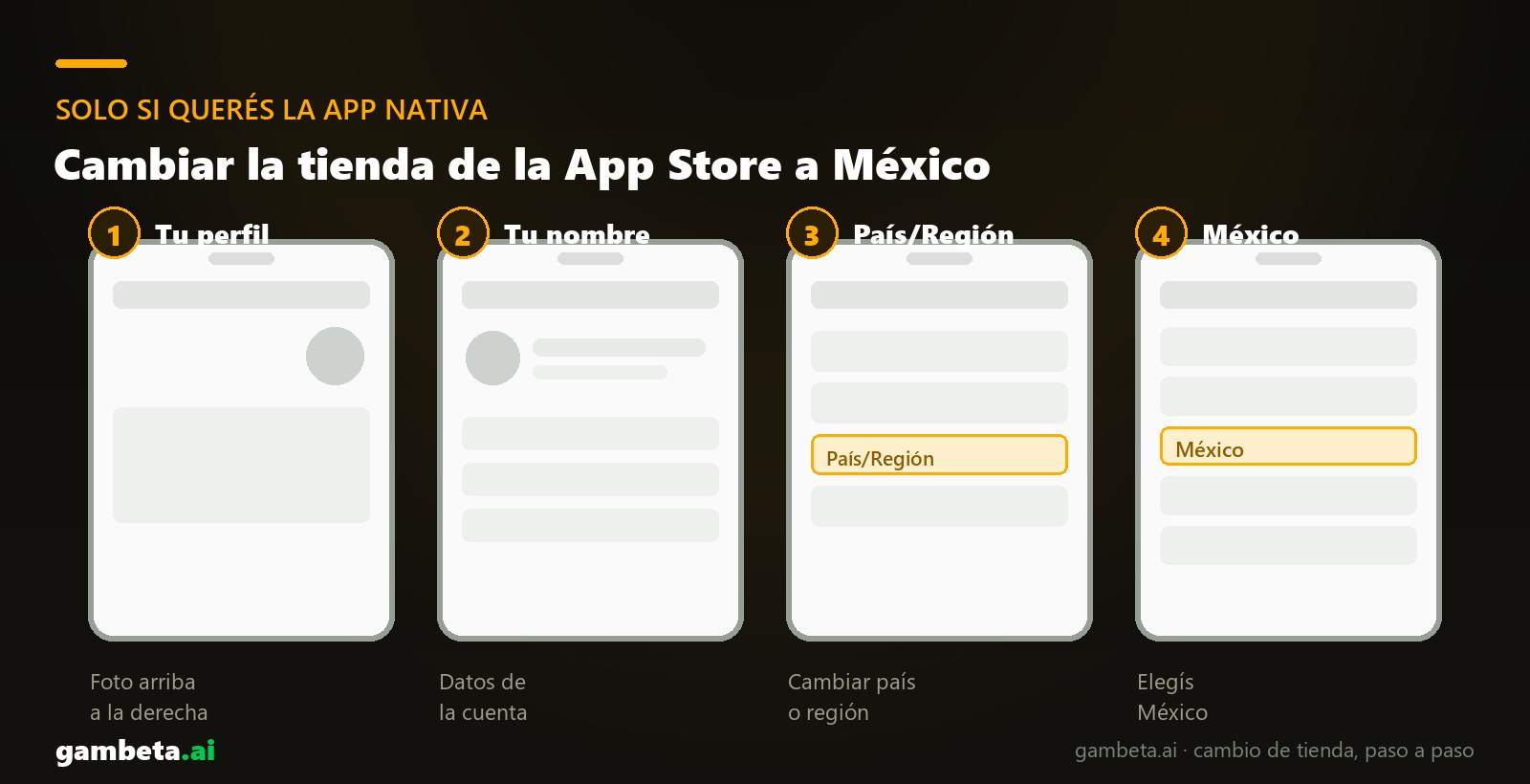
- Open the App Store and tap your profile picture at the top right.
- Tap your name to open your account details.
- Go to "Country/Region".
- Tap "Change Country or Region" and choose Mexico. — it's the largest Spanish-language storefront where the app is published, and it's in Spanish
- Accept the Terms and Conditions of Apple's media services.
- Apple will ask for a payment method and billing address from that country. If it lets you choose "None" as the payment method, pick it.
- Go back to the App Store, search for "1xBet" and install it.
Pros
- Full native app, with Face ID and notifications
- Updates like any other app
Cons
- You have to spend your App Store balance before switching: it doesn't travel with you
- Subscriptions billed by Apple must be canceled first or the switch is blocked
- The whole storefront changes: prices, currency and accepted payment methods
- Apple requires you to reside in the country you choose: it's a breach of its terms
1xBet on Android
APK from the official site
standard on AndroidIt's the normal route on Android for real-money betting apps: Google Play doesn't publish these apps in many countries, so the bookmaker distributes the installer from its own site.
- From your phone, go to the official 1xBet site. Type the domain by hand instead of searching for it: clones buy ads on the brand name.
- Find the app download link. It's almost always in the footer or an "Android App" banner.
- Download the .apk file. Chrome will warn you this file type can be harmful: that's the generic warning for any APK, not a diagnosis of that file.
- Open the file from Downloads. Android will ask permission to install from that source: enable "Allow from this source".
- Install, open the app and log in.
- Go back to Settings and turn that permission off when you're done. It takes a minute and leaves your phone as it was.
Pros
- Full native app
- You don't depend on Google Play policy
- Works in any country
Cons
- Updates are announced by the app, not Google Play
- Download only from the official domain, never from a download site
Switching your Apple ID storefront: what actually happens and what doesn't
This is the part that stops almost everyone, and understandably: it sounds like you're going to break something. Let's separate the real fear from the invented one, because they're not the same.
None of this happens
- You don't lose photos, contacts, notes or anything in iCloud
- The apps you already have installed aren't deleted
- You don't get logged out of WhatsApp, Instagram or your bank
- Your Apple ID doesn't get blocked for changing country: it's an option Apple offers inside its own app
- It's not permanent: you switch back to your country with the same five taps, whenever you want
This does happen, and it's worth knowing beforehand
- Your App Store balance doesn't travel: spend it first or lose it
- If you have subscriptions billed by Apple, the switch is blocked until you cancel them
- The whole storefront changes: prices, currency and accepted payment methods
- Apple requires you to reside in the country you choose. You're stepping outside its terms, and that part is your decision, not a technical detail
Where we draw the line: Apple will ask you for a billing address in Mexico. Don't fill in that form with made-up data. If you don't have a real address in that country, the web app explained above puts 1xBet on your home screen without touching your account or signing anything false, and it's what we recommend.
How to switch back to your country
Same path: App Store, your profile picture, your name, Country/Region, Change Country or Region, and pick yours again. The app you installed from the other storefront stays on your phone, but stops getting automatic updates while your account points to Mexico.
The detail almost nobody mentions
Forums and affiliate guides usually send you to Cyprus or Ukraine. No need to go that far: we checked the actual App Store and the 1xBet app in Spanish is published in Mexico, Chile and Colombia. Watch out for clones too: 1xbet is one of the most counterfeited brands in search engines and on third-party APK sites. The legitimate developer of the Spanish-language app is 1XCorp N.V.
How to make sure you're installing the real 1xBet app
This is the part no guide tells you and the one that can actually cost you money. Betting brands attract clones: apps with the same icon that capture your username and password, and modified APKs on download sites.
- Type the domain by hand. The official 1xBet site is 1xbet.com. Don't come in through an ad or the first search result: clones buy ads on the brand name.
- Check the developer on the store listing. It has to say 1XCorp N.V. and Lemureda. Any other name, don't install it.
- Never download the APK from a download site. Not from a forum, a Telegram channel or a link someone sent you. Only from the official domain.
- Be suspicious of odd permissions: SMS, accessibility or device administration. A bookmaker needs none of that.
- If the app asks you to install another app to work, it's a clone. Close it and delete it.
Before you bet: license and responsible gambling
Why we include this: the license defines who you complain to if a withdrawal doesn't go through. With a bookmaker authorized by your country's regulator you have a local body to take your case to, and you're covered by its self-exclusion registry. With an international license the claim goes to the Curaçao regulator, in another language and another time zone. It's not a formality: it's the difference between having recourse and not having it.
Only bet what you can afford to lose and never with money for fixed expenses. Almost every regulator offers free, confidential self-exclusion: look up your country's responsible gambling helpline. In Argentina it's 0800-333-0333; in Spain, 900 200 225; in Mexico, 800 911 1314. 18+ only.
You've got the app. Now comes the hard part
Installing 1xBet is the paperwork. What decides whether you end the month up or down is what you bet on, not which screen you bet from. And that's where what we do at gambeta.ai comes in.
Our AI crosses recent form, head-to-head history, injuries and odds movement to flag where the bookmaker's price drifts away from the real probability. It publishes its predictions before the match starts and leaves them on record: every pick goes into a public track record with its hits and its misses. No doctored screenshots, no cherry-picked streaks, because the entire log is in plain sight.
A prediction is not a guarantee: it's a probability. No AI, ours included, knows who wins. What you can do is bet with discipline and keep the record. 18+ · Gamble responsibly.
Frequently asked questions
Which storefront has the 1xBet app?
Verified August 18, 2026: the Spanish-language app (developer 1XCorp N.V.) is published in Mexico, Chile and Colombia. The list changes without notice, so check before changing anything.
Do I have to switch to Cyprus or Ukraine like the forums say?
No. There are Spanish-language storefronts where the app is published, and there it's in your language too.
What do I lose using the web app instead of the native app?
Face ID or Touch ID login, and push notifications. The sportsbook, the casino and the cashier work the same.
Is the 1xBet APK safe to install?
The one from its official site, yes. The ones from third-party download sites are the classic vector for modified APKs: don't use them.